Tuesday, June 11, 2013

Week of 06/10/2013: Two for One

Print Size: 11.5 x 17
Camera: Panasonic Lumix G2
Lens: Olympus Zoom ED 14-42
ISO: 200
Print: Epson 3880/ Piezographic Inks/ Moab Lasal

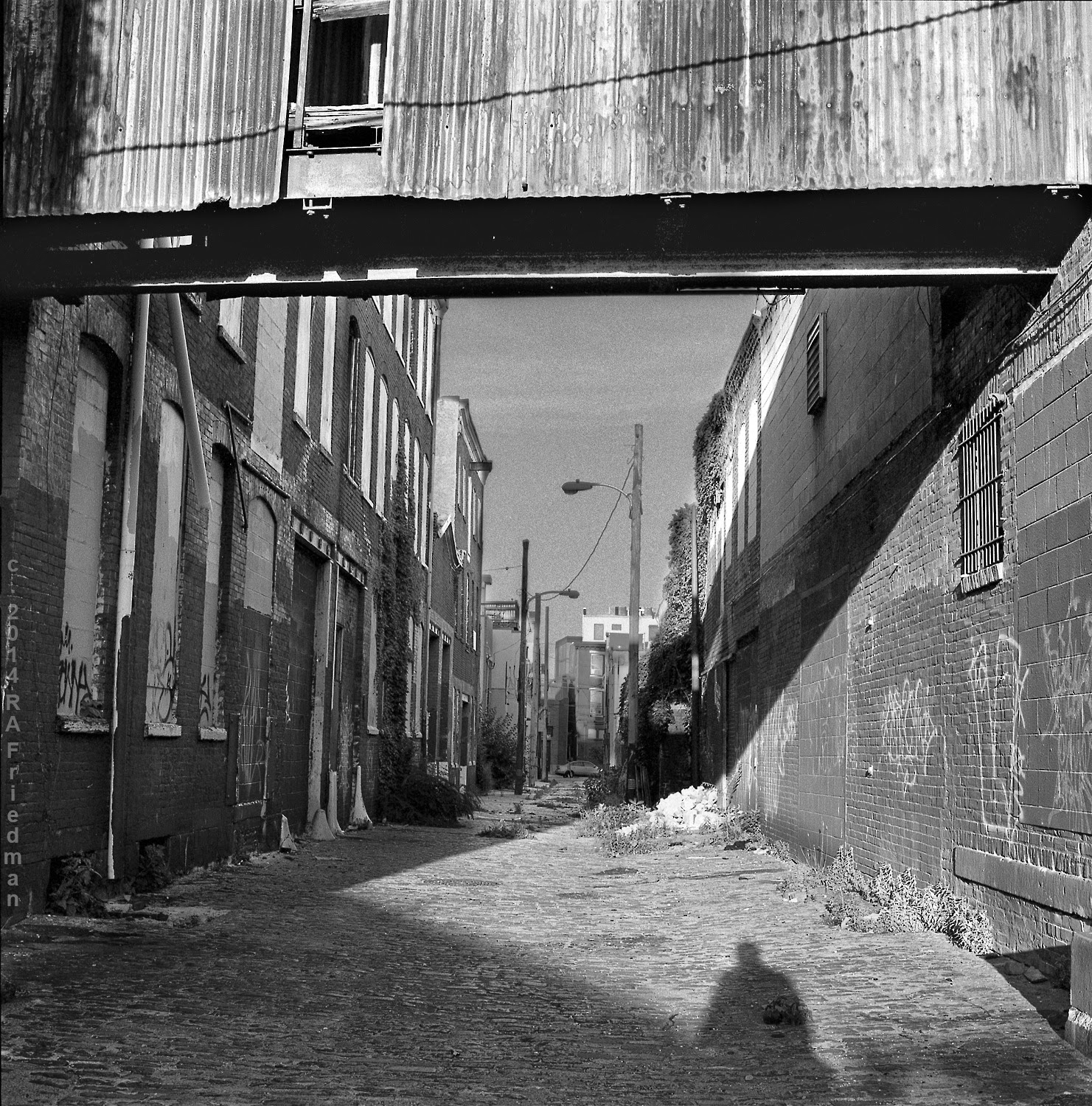
Please step down…

Philadelphia is a city that is constantly in motion. The open sites, the digging in the earth, the structural skeletons of buildings going up and the ruins of old construction coming down, are often in my viewfinder. (I wish there was more re-purposing and restoration.) The building collapse last Wednesday at 22nd and Market Streets in addition to being a terrible tragedy had a further chilling dimension for me as I had been in front of the site a scant two days previously photographing it. I’ve been documenting that row of buildings in its various stages of demolition from the very beginning when the salvage company removed the ornamental façade from 2132 Market, a fantastic structure with a carved stone façade that ended its days as a pornography emporium. 

This shot is from a different spot. It was taken the previous week at 20th and Race. The building was so undistinguished I barely even noticed it in my travels. Apparently the front had been redone at some point in a glass and tile, industrial fashion, popular in the 50’s/60’s. The interior was clearly much older, likely from the turn of the century.

The combination of the white wall, the contrast-y shadows, the abundant details and textures, and the dark rubble in the foreground made this a difficult print to get right. I was close to finishing up when I just kept on looking at the print and feeling it was off, unbalanced, so I rebuilt the file, changing the cropping slightly.


A print remade and a lesson learned...

For last week’s image, I suspected I could make a stronger print and I wanted to test the limits of the image-making chain.  Even after fiddling with the existing file yet again, I was not satisfied. There was tonal separation in the dark areas of the print, which was visible in the 13 x 19 version. This is usually the result of overdoing the adjustments in Photoshop, such as radically changing the lightness/darkness or contrast of an area. You lose intermediate tones and end up with patches. Was the problem in the camera, or the software, or the way I was working? It’s easy to point the finger at the tools but my experience is that the biggest fly-in-the-ointment is often the guy behind the camera or the editing desk. I’d much rather turn deficiency into a “Eureka!” moment than blindly invest in more gear.

The original source file looked fine, but I could tell I had really bumped up the contrast in certain areas when making the black and white print. It’s very easy to overdo in Photoshop and radically changing brightness or contrast often leads to mid-tones dropping out and a non-photographic, unpleasant look.

I did an end-run around the problem by making multiple .tif files from the .raw data the camera creates, one for each problem area of the print, doing my best to get each as close to the envisioned final result as possible. The goal was to make the tonal and contrast adjustments in Photoshop as mild as possible. I then employed one aspect of a technique I often use called “layer masking.” Layer masks allow certain areas of images aligned and stacked one on top of the other, to either show or not show. The fusing of the visible areas from different layers to make a unity is often the tricky part. There are ways to automate the masking process, but each image is unique. Invariably it seems I have to zoom into the image at high magnification and “paint” the masking in for certain delicate areas. The pay-off is it allows a lot of control in manipulating the print when the ambient lighting is not quite ideal. 

Wednesday, June 5, 2013

06 03 13: In The Wilds of Center City


Camera: Lumix G2
Lens: Olympus 14-42 zoom at 33mm, f5.6
ISO: 200
Print: Epson 3880/ Piezography K7 Inks/ Moab Lasal

This image showed up in my neighborhood late in an afternoon of unplanned shooting. Printing and editing over a long morning that had started very early, I had walked up to Penn to use their Internet and found them closed.  I decided I needed a break and went to see what my lens might find.

The white flower caused the most problems since it needed to be both bright and show detail. It had to be as perfect as possible within the limitations of the original capture. Tonal control had to be employed on four different areas: the petals, the underside of the flower, the large leaf, and the background. This meant three areas that had to be carefully masked. I worked with a color base image and even though I could use the color to select various areas, there still was a lot of manual labor involved filling in areas and cleaning up edges. Dodged and burned in the darkroom, a result like this would probably be nigh impossible even for a virtuoso printer, which I never was. A good print often took a whole day and a garbage can full of tests.

On the twenty-first iteration (shown here), I felt I had a print that worked.  I backtracked slightly, to version sixteen, deciding that somewhat less illumination and contrasting detail around the base of the leafy plant made for a stronger print. Since I can’t resist experimenting, I continue on, and have hit iteration twenty-six as of the time of this writing. In the course of making different versions, I had used two different color-to- black and white conversion methods on the leafy part of the image, but it wasn’t a “one size fits all” proposition. One was better for the top, the other for the bottom. So, I’m in the process of merging both into one file. Obsessive? Perhaps, but why compromise?

Tuesday, May 28, 2013

Week of 05/27/13: Ernest Expectations


Location: 4th St. off of Bainbridge
Image Size: 16.5 x 22 @300 dpi
Print Size: 11.25 x 15.25
Camera: Fujica Gs645
Lens: Nikon 75mm f3.8
Film: Tri-X 120 @ISO 200
Develop: HC110 B 1:49, 6.5 min @68F
Scan: Epson V500
Print: Epson 3880/ Piezography K7 Inks/ Moab Lasal

I’m a huge believer in constantly raising the bar. It keeps things fresh and prevents boredom and burnout. The only problem is the work often starts consuming more and more time, which seems to be the natural progression of any passion. One ends up just a hair’s breath from being completely consumed, while the rest of one’s earthly existence goes to seed. Perhaps this is a good argument for having few needs and living simply.

After last week’s image, which I reprinted, yet again, this one was a walk in the park. Although this print racked up twenty-three iterations (I now number them for reference), it went relatively smoothly and directly. The negative was close to ideal and needed just one special scan so I could lighten and increase contrast in one area. The results are significantly cleaner if I re-scan directly from the negative rather than applying a strong adjustment in Photoshop.

I’m looking more and more at the surfaces of things: leaves, rain-soaked car paint, stone, water, etc, and being more and more careful to maintain a sense of the physicality of things but also to preserve the photographic qualities of black and white film. I want both the darkest areas of the print and the lightest to have tone and detail. This makes the whole process much more less forgiving (and rewarding), especially since I’m printing sans color on matte paper that gives less contrast than gloss and semi-gloss papers.

Wednesday, May 22, 2013

Strange Alchemy


Location: Eastern State Penitentiary, Philadelphia
Print size: 13 x 19
File size: 18 x 26.75 @300 dpi
Camera: Fujica Gs645
Lens: Fuji/Nikon f3.8
Film: Tri-X 120 roll film @ISO 200
Develop: HC110 1:49, 6.5min at 68F
Scanner: Epson V500
Print: Epson 3880/Piezographic Inks/ Moab Lasal and Jon Cone #5 baryta paper.

I just couldn’t get the kind of print I envisioned. This photograph had its own ideas for me to discover and pulled me into its vortex.  The images that give me the most difficulties are the ones from which I learn the most, even if they are some ways unsatisfying. They unmask the “stuff” that makes up the work and how to get enough of it into to format. Like Alice in Wonderland, I feel like I’ve gone in one end of the looking glass and out the other.

Primarily, the pre-visualization was there in concept but not in the specifics; so I had to reinvent the image in the printmaking, something that is always a battle and probably something I will eventually completely eschew. It’s one thing to refine an image through the output; it’s another to make it out of whole cloth.  If I had to shoot this again, I would do it in a much different way, most likely making separate exposures for the wall and frame versus the reflection, and possibly even a separate exposure for the sky. Yes, this is not a composite, but a single-shot image! I did, however, move the notch in the stone battlement slightly to the left in order to get it closer to dead center.

I usually don’t give my photos titles, or they are strictly working ones, for my own internal reference, but somehow I can’t help but think this one should be called “Memorial to Misspent Youth.” 

Wednesday, May 15, 2013

Week of 05 13 13: "Sometimes I feel like a motherless child..."


Location: Approximately Third and South Sts.
Print size: 11.5” x 17”
Camera: Nikon Ftn
Lens: Nikkor H 50mm f2
Film: Tri-X, @ ISO 200
Develop: HC110 1:49, 6.5 min at 68F
Scan: Epson V500
Print: Epson 3880/ Piezographic Inks/ Moab Lasal

I often revisit places I’ve photographed before and re-shoot. It’s never the same, and often things have vanished (including whole buildings!) but occasionally luck does shine down. Something about the weirdly human, yet inhuman, child mannequins had grabbed my eye a few weeks earlier. My meanderings put me back there when the light was both raking and contrasty; qualities that entice me.

I used two files that I then combined to make this print. Although the image was properly exposed and developed, the density range was more than my scanner could handle well in a single pass. 
I’m finding the trick to scanning film negatives (and prints for that matter) is to get it right from the get-go. Beyond correct exposure and development, this means adjusting the scan settings so that the file will need minimal adjustment in Photoshop.  Making the print while the negative is still in the scanner is a good plan. The old “garbage in/garbage out” adage very much applies here. Being able to use PS sparingly not only gives smoother tones, it reduces grain and virtually eliminates digital noise that can give the prints a nasty peppery look.

I have work up in two places in Philadelphia-- a rare convergence!  Tomorrow I’m hanging a bunch of Steampunk portraits at So We on 22nd and Carpenter for an arts crawl that SOSNA is doing and Frame Fatale at 1813 E. Passyunk has a bunch of small prints of Philadelphia windows until the close of May. 

Friday, May 10, 2013

05 06 13: A Piece of Work


Image size: 11.5” x 17”
Location: 17th and Chestnut, Philadelphia (Liberty Place)
Camera: Canonet QL 17
Film: Tri-X @ISO 200
Developer: HC110 1:49, 7min at 68F
Scan: Epson V500
Print: Epson 3880 on Moab Lasal/ Piezographic Inks


I was not sure I would get to publish this week due to two shoots in two weeks. If you are curious about what I do photographically when I'm not walking miles with a camera or printing, here they are the photo sets.

Analog on Silver Instant Film:

Vintage Digital:

When the film receives the right amount of light plus correct development, the pictorial structure makes itself known and it’s just a matter of slight adjustments on the way to the completed print. If the exposure is not within ballpark, especially with 35mm, then it becomes a workout. This photo appealed to me enough that I felt it would be worth going into “obsessive mode” and exercising much time and patience until it was either a success or a spectacular failure and learning experience.

As is often the case, I made this print twice. I ended up re-scanning the negative once I knew what I really knew what qualities I wanted to bring forth. The first print’s file had redundant layers and quickly became a tangle. The only way I could get enough "punch" was to use Cone #5 paper; a beautiful material, but the print’s tone did not match the other photos I’ve printed to date which are all on Moab Lasal. To arrive at the final print took quite a bit of experimenting, in fact, a full day of work and then some.  I will also likely make a third version after I "live with it” a while.  Also, I accidentally killed the full, layered file when I made the web version, so I now have a unique print!  Luckily, I still have the correct base scan.

Photoshop is an amazing tool and covers a multitude of sins, but I never rely on my printing skills; I do my best to get it right in-camera. In this case the problem was the negative was fairly dense. The camera I’m using, by the unlikely name of “Canonet” is going on forty years old, and my guess is it desperately needs an overhaul. The beast absolutely won’t fire properly in the cold and my suspicion is an oil-gummed shutter; the whole roll looked overexposed. 

Having spent years worrying about gear that often was purchased then languished, and eventually sold or given away, I’m a big believer in using what you have and just taking pictures-- lots of them, and not worrying too much about the camera. Still, there’s something about the compactness, precision, and agility of an older rangefinder 35, that an SLR cannot match.  In fact, had I been using one of my film Nikons, I probably would not have gotten this image. My guess is that by the time I got the camera adjusted and focused, the woman would have noticed me (which did, in fact, happen). I am in no hurry to purchase yet another camera and lens system with all its concomitant issues and peculiarities. It doesn't surprise me that photographers stick doggedly with a particular instrument or methodology for years rather than go through the whole learning curve all over again while ironing out the bugs and losing shots. I’m keeping to one film and one developer and only two or three printing papers. Still, I am considering the options. Rather than pouring a chunk of cash into overhauling a camera that only cost $40 used in 1993 that has a decent, but not wonderful Tessar-type fixed lens, an upgrade may be money well spent. 

Wednesday, May 1, 2013

04 29 13: Razored


Location:  10th and Vine Vicinity
Print size: 11.5” x 17”
Camera: Nikon FM2n
Lens: Nikkor 105mm f2.5
Film: Tri-X at ISO 200
Develop: HC110 1:49, 6.5min at 68F
Scan: Epson V500
Print: Epson 3880, Piezo inks on Moab Lasal paper

This shot was a second try with the same subject and composition. On the first, I was too far away. The frame had to be cropped too much. The razor wire just didn’t look threatening enough. Shooting 35mm has been a good discipline in that if I don’t utilize nearly the full frame, the photo falls short of the mark; it demands mindfulness from the get-go.

I think perhaps it’s a human tendency to want to pull into an image as much as possible, when what the photo needs is less, reduction to essentials. When we see something that affects us, there is an excitement and a desire to grab hold of it, but in photography a hard-learned translation has to go on. The camera sees a small area and mechanically/abstractly; it doesn't feel the wind or smell the air, the hardness of the pavement, the events that led up to the photo and one’s physical and psychological state. Alfred Stieglitz talked about the photograph, as being an “equivalent” to what the photographer was experiencing, which is essentially the same idea.

Practically, this often means getting in closer and trying different camera-to-subject positions so as to start to approach wherein the subject lies. That the subject is not merely, and may have little to do with, what the lens is pointed at, is the difficult and engaging paradox of doing this kind of work.